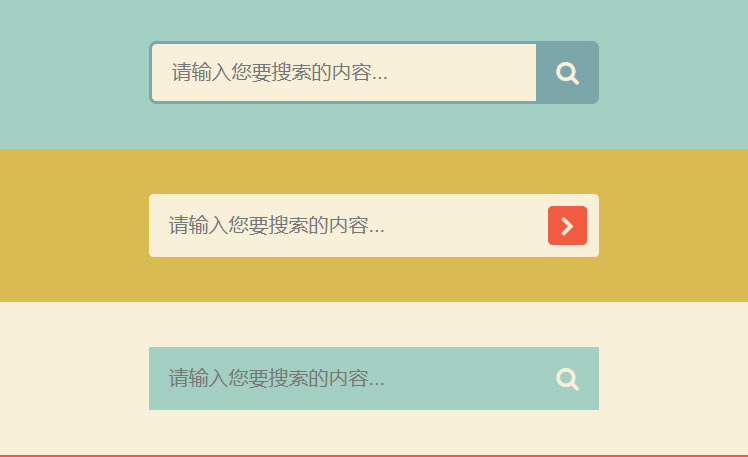
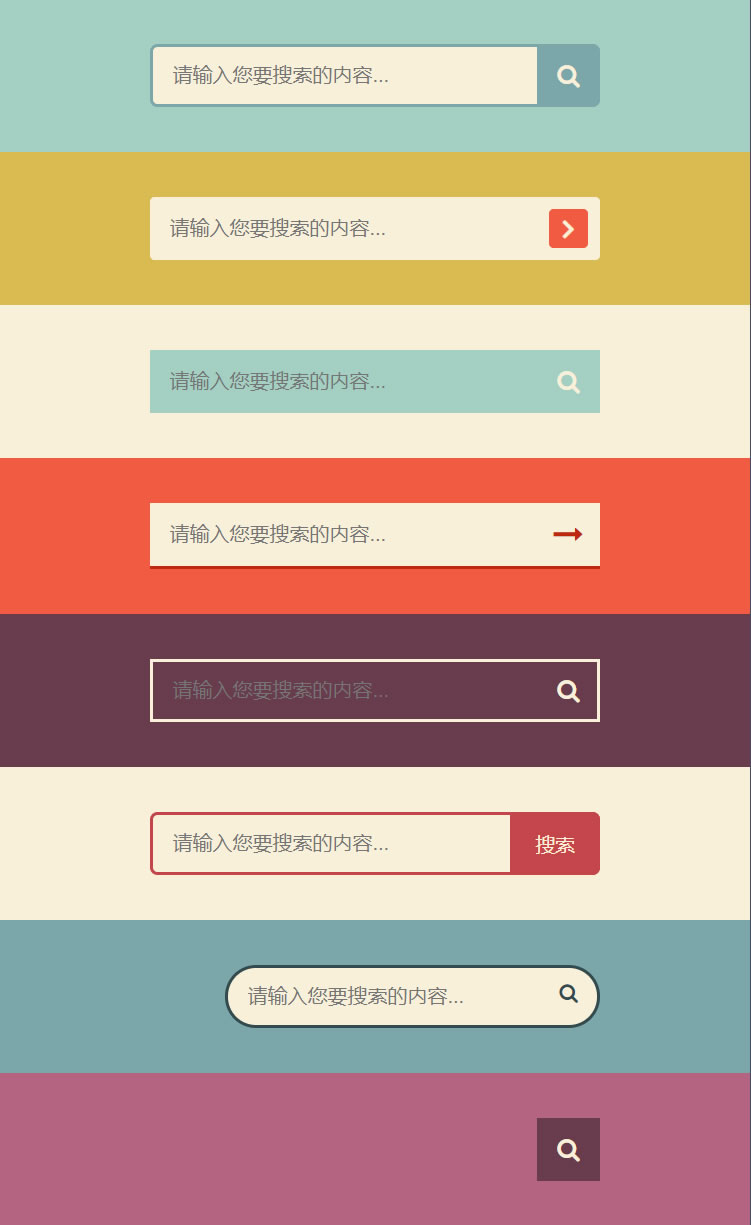
全部代码如下(最后提供了文件下载):
<!DOCTYPE html>
<html lang="en">
<head>
    <meta charset="UTF-8">
    <meta name="viewport" content="width=device-width, initial-scale=1.0">
    <title>8款纯CSS3搜索框</title>

    <link href="http://cdn.bootcss.com/font-awesome/4.7.0/css/font-awesome.min.css" rel="stylesheet">
    <style>
        * {
            box-sizing: border-box;
        }

        body {
            margin: 0;
            padding: 0;
            background: #494A5F;
            font-weight: 500;
            font-family: "Microsoft YaHei","宋体","Segoe UI", "Lucida Grande", Helvetica, Arial,sans-serif, FreeSans, Arimo;
        }

        #container {
            width: 500px;
            height: 820px;
            margin: 0 auto;
        }
        div.search {padding: 30px 0;}

        form {
            position: relative;
            width: 300px;
            margin: 0 auto;
        }

        input, button {
            border: none;
            outline: none;
        }

        input {
            width: 100%;
            height: 42px;
            padding-left: 13px;
        }

        button {
            height: 42px;
            width: 42px;
            cursor: pointer;
            position: absolute;
        }

        /*搜索框1*/
        .bar1 {background: #A3D0C3;}
        .bar1 input {
            border: 2px solid #7BA7AB;
            border-radius: 5px;
            background: #F9F0DA;
            color: #9E9C9C;
        }
        .bar1 button {
            top: 0;
            right: 0;
            background: #7BA7AB;
            border-radius: 0 5px 5px 0;
        }
        .bar1 button:before {
            content: "f002";
            font-family: FontAwesome;
            font-size: 16px;
            color: #F9F0DA;
        }

        /*搜索框2*/
        .bar2 {background: #DABB52;}
        .bar2 input, .bar2 button {
            border-radius: 3px;
        }
        .bar2 input {
            background: #F9F0DA;
        }
        .bar2 button {
            height: 26px;
            width: 26px;
            top: 8px;
            right: 8px;
            background: #F15B42;
        }
        .bar2 button:before {
            content: "f105";
            font-family: FontAwesome;
            color: #F9F0DA;
            font-size: 20px;
            font-weight: bold;
        }

        /*搜索框3*/
        .bar3 {background: #F9F0DA;}
        .bar3 form {background: #A3D0C3;}
        .bar3 input, .bar3 button {
            background: transparent;
        }
        .bar3 button {
            top: 0;
            right: 0;
        }
        .bar3 button:before {
            content: "f002";
            font-family: FontAwesome;
            font-size: 16px;
            color: #F9F0DA;
        }

        /*搜索框4*/
        .bar4 {background: #F15B42;}
        .bar4 form {
            background: #F9F0DA;
            border-bottom: 2px solid #BE290E;
        }
        .bar4 input, .bar4 button {
            background: transparent;
        }
        .bar4 button {
            top: 0;
            right: 0;
        }
        .bar4 button:before {
            content: "f178";
            font-family: FontAwesome;
            font-size: 20px;
            color: #be290e;
        }

        /*搜索框5*/
        .bar5 {background: #683B4D;}
        .bar5 input, .bar5 button {
            background: transparent;
        }
        .bar5 input {
            border: 2px solid #F9F0DA;
        }
        .bar5 button {
            top: 0;
            right: 0;
        }
        .bar5 button:before {
            content: "f002";
            font-family: FontAwesome;
            font-size: 16px;
            color: #F9F0DA;
        }
        .bar5 input:focus {
            border-color: #311c24
        }

        /*搜索框6*/
        .bar6 {background: #F9F0DA;}
        .bar6 input {
            border: 2px solid #c5464a;
            border-radius: 5px;
            background: transparent;
            top: 0;
            right: 0;
        }
        .bar6 button {
            background: #c5464a;
            border-radius: 0 5px 5px 0;
            width: 60px;
            top: 0;
            right: 0;
        }
        .bar6 button:before {
            content: "搜索";
            font-size: 13px;
            color: #F9F0DA;
        }


        /*搜索框7*/
        .bar7 {background: #7BA7AB;}
        .bar7 form {
            height: 42px;
        }
        .bar7 input {
            width: 250px;
            border-radius: 42px;
            border: 2px solid #324B4E;
            background: #F9F0DA;
            transition: .3s linear;
            float: right;
        }
        .bar7 input:focus {
            width: 300px;
        }
        .bar7 button {
            background: none;
            top: -2px;
            right: 0;
        }
        .bar7 button:before{
          content: "f002";
          font-family: FontAwesome;
          color: #324b4e;
        }

        /*搜索框8*/
        .bar8 {background: #B46381;}
        .bar8 form {
            height: 42px;
        }
        .bar8 input {
            width: 0;
            padding: 0 42px 0 15px;
            border-bottom: 2px solid transparent;
            background: transparent;
            transition: .3s linear;
            position: absolute;
            top: 0;
            right: 0;
            z-index: 2;
        }
        .bar8 input:focus {
            width: 300px;
            z-index: 1;
            border-bottom: 2px solid #F9F0DA;
        }
        .bar8 button {
            background: #683B4D;
            top: 0;
            right: 0;
        }
        .bar8 button:before {
            content: "f002";
            font-family: FontAwesome;
            font-size: 16px;
            color: #F9F0DA;
        }
    </style>
</head>
<body>
<div id="container">
    <div class="search bar1">
        <form>
            <input type="text" placeholder="请输入您要搜索的内容...">
            <button type="submit"></button>
        </form>
    </div>

    <div class="search bar2">
        <form>
            <input type="text" placeholder="请输入您要搜索的内容...">
            <button type="submit"></button>
        </form>
    </div>

    <div class="search bar3">
        <form>
            <input type="text" placeholder="请输入您要搜索的内容...">
            <button type="submit"></button>
        </form>
    </div>

    <div class="search bar4">
        <form>
            <input type="text" placeholder="请输入您要搜索的内容...">
            <button type="submit"></button>
        </form>
    </div>

    <div class="search bar5">
        <form>
            <input type="text" placeholder="请输入您要搜索的内容...">
            <button type="submit"></button>
        </form>
    </div>

    <div class="search bar6">
        <form>
            <input type="text" placeholder="请输入您要搜索的内容...">
            <button type="submit"></button>
        </form>
    </div>

    <div class="search bar7">
        <form>
            <input type="text" placeholder="请输入您要搜索的内容...">
            <button type="submit"></button>
        </form>
    </div>

    <div class="search bar8">
        <form>
            <input type="text" placeholder="请输入您要搜索的内容...">
            <button type="submit"></button>
        </form>
    </div>
</div>
</body>
</html>
相关下载(已下载次)
本文地址:https://www.moyubuluo.com/notes/1146.html
加入我们:微信:搜索“Moyu-Blog” 帝国CMS模板客户群:QQ二群---909235407 QQ一群(已满)---106997031
版权声明:本文采用[BY-NC-SA]协议进行授权,如无特别说明,转载请注明本文地址!